VolCurve fits an implied volatility smile for a single option expiry. It follows a scikit-learn style workflow: configure an estimator, call fit, then evaluate the fitted object. The resulting smile lets you price options, compute Greeks, export IV data, and convert directly into a risk-neutral probability distribution. The steps below walk through the complete workflow.
1
Initialize
Create a
VolCurve with your chosen calibration algorithm and pricing engine. The default configuration uses SVI for the smile and Black-76 for IV inversion.2
Fetch data
Download a single-expiry chain and populate
MarketInputs from the vendor snapshot.This example uses the built-in yfinance fetcher. For research or production work, your own vendor, broker, or exchange data will usually be cleaner. See Data sources to load a CSV or DataFrame instead.3
Fit
Call
vol.fit(chain, market). The method validates the chain, inverts IVs, calibrates the SVI parameters, and stores results on the instance.4
Query IV
Query IVs for any strike or array of strikes using either
implied_vol or the callable shorthand.5
Diagnostics
After fitting,
diagnostics returns a dictionary of calibration metrics such as RMSE. params returns the raw SVI parameter set {a, b, rho, m, sigma}.6
Prices and Greeks
vol.price uses the fitted smile to value options at arbitrary strikes. vol.greeks returns a DataFrame with columns strike, delta, gamma, vega, theta, and rho.7
Export and plot
iv_results returns a DataFrame with the fitted smile curve alongside observed market bid/ask/mid IVs for quality-checking the calibration.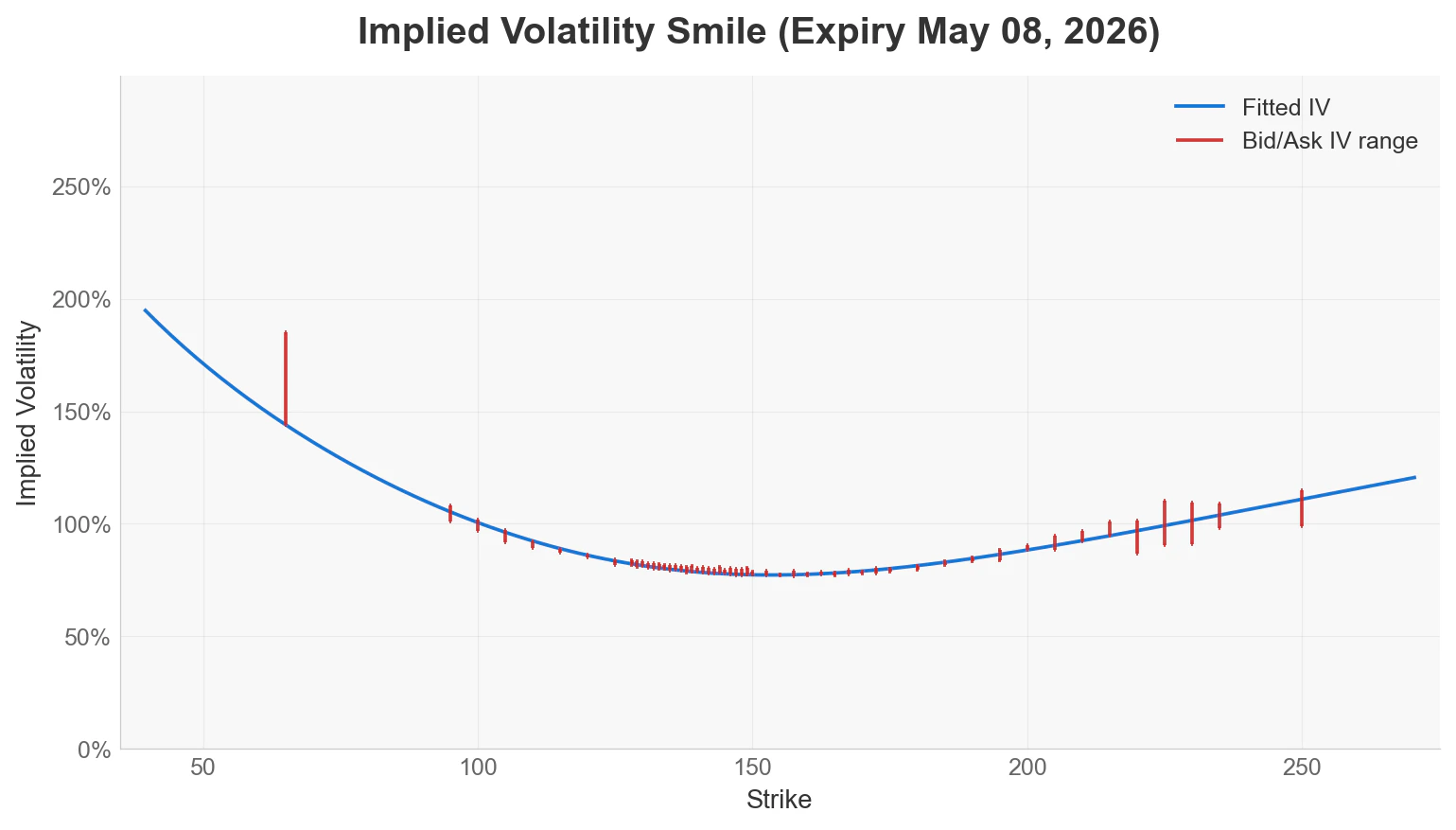
8
Probability distribution
Call
implied_distribution() to derive a ProbCurve from the fitted smile. The returned object supports all probability queries described in the single-expiry probability guide.