ProbCurve extracts that distribution from a single-expiry option chain by fitting an SVI volatility smile and converting it into probabilities. The walkthrough below takes you from data download to distributional statistics in five steps.
1
Select expiry
Start by fetching the available expiry dates for your ticker.
sources.list_expiry_dates calls the built-in yfinance connection and returns dates as YYYY-MM-DD strings.2
Fetch chain
Pass the selected expiry to
sources.fetch_chain. It returns two objects: a normalized chain DataFrame and a VendorSnapshot that records the underlying price and download timestamp.This example uses the built-in yfinance fetcher. For research or production work, your own vendor, broker, or exchange data will usually be cleaner. See Data sources to load a CSV or DataFrame instead.3
MarketInputs
MarketInputs bundles the market context needed for calibration. Use the snapshot fields to avoid mis-dating your inputs.4
Fit
ProbCurve.from_chain fits an SVI volatility smile and derives the risk-neutral distribution in one call.ModelRiskWarning. Use cdf_violation_policy="raise" if you want strict violations to propagate as errors instead.5
Query and export
Once fitted, Quantiles and momentsVisualizationExample output: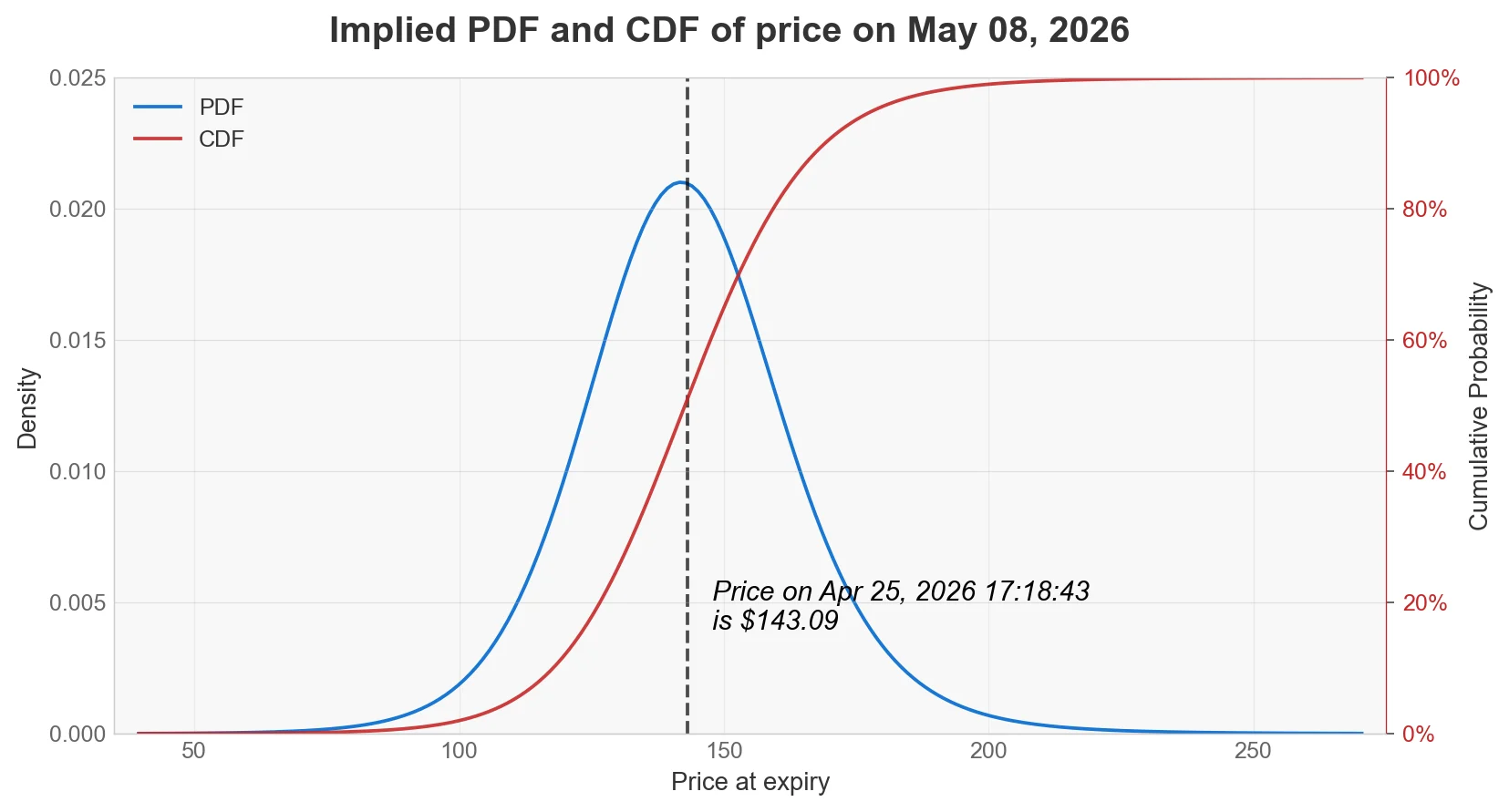
ProbCurve exposes probability queries, distributional moments, a plot method, and a DataFrame export.Probability queriesdensity_results() returns a DataFrame with columns price, pdf, and cdf.ProbCurve.from_chain requires a chain with a single expiry. If your DataFrame contains multiple expiry dates, OIPD raises a ValueError and asks you to use ProbSurface.from_chain instead.